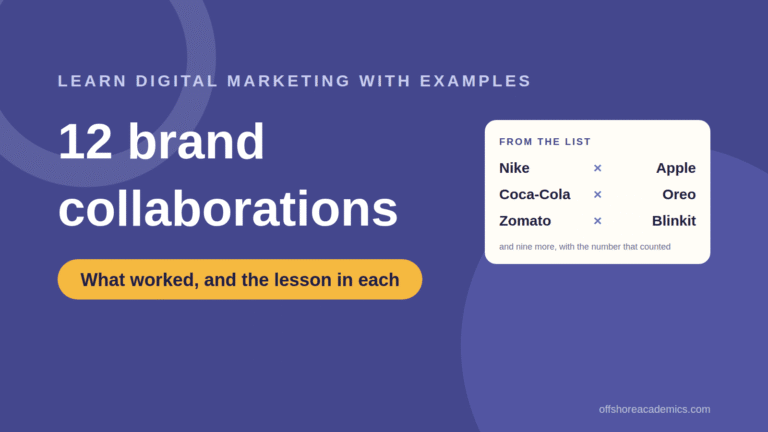
Learn Digital Marketing with 12 Brand Collaboration Examples (2026 Lessons)
12 brand collaboration examples, from Nike × Apple to Zomato × Blinkit, with the lesson in each: types, patterns, how to measure...
Read the article.webp)
Takes 20 seconds. The PDF lands on WhatsApp and email.
No spam. A counsellor may call once to help you pick a batch.
Takes 20 seconds. No obligation.
We never share your number.
Takes 20 seconds.
We never share your number.
How to create an email newsletter people open: the 2026 benchmarks, the five-block structure, ten steps from list to send, free tools compared, timing, measurement and the mistakes to avoid.
An email newsletter is still the highest-return channel a marketer can run. Litmus puts the return at $42 for every $1 spent in its 2026 State of Email report, the average open rate sits at 21.5%, and a welcome email is opened by 82% of the people who receive it. The catch is that most newsletters are built to be sent, not read. This guide is about building one people open on a Tuesday because they want to.
It is the email module from our digital marketing course in Mohali, written for marketers and small business owners. It covers why newsletters still work with the 2026 numbers, what goes into one that gets read, the five types with examples, a ten-step process from list to send, the tools and their free limits, when and how often to send, how to measure, and the mistakes that get you unsubscribed. For the wider picture of where email sits, our beginners guide comes first.
The Searchlab 2026 review compiles the benchmarks: Litmus reports a return of $42 per $1 spent, Mailchimp puts the average open rate at 21.5% across industries and 27.3% for education, Campaign Monitor puts the average click-through rate at 2.6%, and HubSpot puts a healthy unsubscribe rate at 0.1 to 0.3% per campaign. Email is not glamorous, but it is the only channel where you own the list, pay nothing per message, and reach people who asked to hear from you.
GetResponse’s 2026 report finds welcome emails opened by 82% of recipients and clicked by 27%, with a 5.2% conversion rate, against 21.5% and 2.6% for an ordinary send. The person has just signed up and is paying attention. If you build one automated email, build this one: what to expect, the best thing you have already published, and one next step.
Litmus finds 62% of email opens happen on mobile, 27% on desktop and 11% in webmail. So the newsletter is a phone document: one column, body text at 16px, buttons wide enough for a thumb, images that still make sense at 360 pixels, and a subject line under about 45 characters so it survives the inbox preview. The same phone-first thinking runs through our Instagram marketing guide, and the two channels work best together: Instagram finds people, email keeps them.
A newsletter that gets read has five blocks. A subject line with one idea in it. An opening line that says why this email exists this week. One main item worth two minutes of attention. Two short items, each a link with a single line. And one call to action, a single button asking for a single thing. Newsletters fail when they try to carry everything the business did that month.
Four patterns cover most sends. A specific one, naming the exact thing inside. A question your readers are already asking. A number. Or plain news, which outperforms everything when the news is real. Keep it under 45 characters, match it to the main item, and never promise something the email does not deliver; that mismatch is the fastest route to the unsubscribe link.
Give each email one ask. Three buttons split the clicks three ways; one button collects them. Label it with what happens next, “See October batch dates” rather than “Learn more”, and place it after the main item with a repeat at the end for the people who scrolled.
Write the call to action first, then the main item, then the subject line. Working backwards from the ask keeps the whole email pointed at one thing.
Five types cover almost every newsletter. Curated: the best five things you read this week. Educational: one lesson per email, which is what our own newsletter does. Product or offer: batch dates, a launch, a fee change, kept plain and dated. Story: one customer and one result in two hundred words, which works even better with a 60-second testimonial video embedded, as in our guide to making marketing videos without a professional. Digest: what you published this month. Pick one and run it consistently for six months; readers subscribe to a format, and rotating formats confuses them.
Each type has a natural rhythm and a natural metric. Curated and educational newsletters are weekly and live on clicks and forwards. Offer emails go out when there is news and are judged on conversions and, just as importantly, on unsubscribes. Story emails are monthly and generate replies. Digests are monthly and generate clicks.
Our own newsletter is educational: one lesson from class in about three hundred words, one link to the full article, and batch dates in the footer where regular readers know to look. What it never does is list everything we did that month, offer five competing links, or run an offer without a date. The lessons come from the same material as our email marketing course, which covers the automation side this guide leaves out.
Build the list only from people who asked: a form on the site, a checkbox on the enquiry form, a line in the WhatsApp greeting. Never import a bought list; it destroys deliverability for every real subscriber. Pick a tool whose free plan fits the list, and build one template in brand colours with the five blocks, so every send is writing rather than designing. The template follows the same kit as everything else, which our guide on brand recognition explains.
Decide the ask first, then the main item, then the subject line. Write the opening line last, because only then do you know what the email is for. Cut to around three hundred words. Set the preview line, the grey text after the subject in the inbox, because it is the second thing people read. Then read the whole thing on a phone before anyone else does.
Send a test to yourself and one colleague and click every link. Send on Tuesday around 10am for the first month, the best-performing slot in HubSpot and GetResponse’s 2026 studies, then move to whatever your own data shows. After every send, record open rate, click rate, click-to-open, unsubscribes and replies in one sheet. That log, not the tool’s dashboard, is where the newsletter improves.
For a small list the free plans are enough. The Sequenzy 2026 comparison, checked against vendor pricing pages, puts Sender at 2,500 contacts and 15,000 emails a month, Brevo at unlimited contacts and 300 emails a day, Zoho Campaigns at 2,000 contacts and 6,000 emails, MailerLite at 250 contacts and 2,500 emails after its mid-2026 cut, and Mailchimp at 500 contacts and 1,000 emails. A list under 2,000 can run free for a year on Zoho Campaigns or Brevo.
Pay when you outgrow the free tier or need automation. Brevo from $9 and Sender from $8 are the cheapest routes up; MailerLite from $12 has the cleanest editor; Mailchimp from $13 has the most integrations and is what most agency job descriptions name. Pay for automation, segmentation and deliverability, never for templates.
Mailchimp’s segmentation research finds segmented campaigns get 101% higher click rates than unsegmented ones. Three segments are enough for most businesses, for an institute: people who enquired, people enrolled, and alumni. Send them the same lesson and change only the call to action. More than five segments is busywork for a small list.
Start with Tuesday around 10am, the best day and hour in HubSpot’s and GetResponse’s 2026 studies. For Indian B2C lists, evening sends often do better; for B2B, mid-morning holds. After a month the send log tells you more than any study, and you should follow it.
Weekly beats monthly for most businesses, provided the email stays short. A monthly newsletter is forgotten between sends and has to re-earn attention each time; a weekly one becomes a habit. If weekly is too much, fortnightly is the floor. The exception is the offer email, which goes out only when there is a real, dated offer.
Track five numbers per send against the benchmarks: open rate at 21.5% average or 27% for education, click rate at 2.6%, click-to-open at 10.5% with the best at 18%, unsubscribes at 0.1 to 0.3%, and replies, which no tool counts and which are the best signal you have. Trends over ten sends matter more than any one email. If you want to see the same discipline applied to a competitor, our guide to competitive analysis in digital marketing includes signing up to their newsletter.
An unsubscribe rate above 0.5% on a send means the subject promised something the email did not deliver, or the list was not built from permission. Fix the cause before the next send, or the list shrinks faster than it grows.
The first mistake is the monthly everything email: ten items, five buttons, fifteen hundred words. Nobody finishes it. One main item and two short ones is the limit. If there are ten things to say, that is ten weekly emails, and the list will read all ten.
The second mistake is a bought or scraped list. The addresses mark you as spam, which sinks delivery to the people who actually subscribed. Permission lists open above 20%; bought lists open near 2% and generate complaints. Grow the slow way: a form, a checkbox, and a welcome email good enough to forward.
The third mistake is not measuring, which is why most newsletters quietly stop after four months. Five numbers in one sheet take three minutes per send, and shown next to enquiries they are what keeps the newsletter alive when budgets are reviewed. The same three minutes are the difference in every channel, which is why measurement is near the top of the skills that raise a marketer’s pay.
Email newsletters return more than any channel a small business runs, and most of them are still built to be sent rather than read. Build a permission list, pick a tool whose free plan fits, and set up one template with five blocks: subject, opening line, one main item, two short items, one call to action. Write the ask first, cut to three hundred words, check it on a phone, send on Tuesday at 10am until your own log says otherwise, and record five numbers every time.
Pick one newsletter type and run it for six months. If you want to learn the automation and segmentation side with a live list, the email marketing course at Offshore Academics covers it, and the digital marketing course puts it alongside the other channels.
Ten steps. Build a list only from people who asked, pick a tool whose free plan fits the list, and build one branded template with five blocks. Then, for each send: decide the one call to action, write the main item, write a subject line under 45 characters, write the opening line last, cut to about 300 words and check it on a phone. Send a test, send on Tuesday around 10am to start, and log open rate, click rate, click-to-open, unsubscribes and replies after every send.
Five blocks: a subject line with one idea, an opening line that says why this email exists this week, one main item worth two minutes, two short items with a single line each, and one call to action with a specific label, placed after the main item and repeated at the end. Anything that does not fit one of the five blocks is cut. A good newsletter is around 300 words.
Mailchimp’s 2026 benchmarks put the average open rate at 21.5% across industries and 27.3% for education. Average click-through rate is 2.6% (Campaign Monitor) and click-to-open 10.5%, with top performers at 18%. A healthy unsubscribe rate is 0.1 to 0.3% per send; above 0.5% signals a mismatch between subject and content or a list not built on permission.
Start with Tuesday around 10am, the best day in HubSpot’s 2026 benchmark and the best hour in GetResponse’s timing study. Indian B2C lists often do better in the evening and B2B lists mid-morning. After a month, your own send log is a better guide than any study. Weekly sends outperform monthly for most businesses, provided each email stays short.
For a list under 2,000, Zoho Campaigns (2,000 contacts, 6,000 emails a month) or Brevo (unlimited contacts, 300 emails a day) can run free for a year. Sender offers 2,500 contacts and 15,000 emails free. MailerLite cut its free plan to 250 contacts and 2,500 emails in mid-2026, and Mailchimp allows 500 contacts and 1,000 emails. Paid plans start at $8 to $13 a month; pay for automation and segmentation, not templates.
Yes. Litmus’s 2026 State of Email report puts the return at $42 per $1 spent, welcome emails are opened by 82% of recipients, and 62% of opens happen on mobile, so the audience is there. Email is the only channel where you own the list, pay nothing per message and reach people who asked to hear from you. The condition is that the newsletter is built to be read: one type, one ask, around 300 words, sent consistently.
12 brand collaboration examples, from Nike × Apple to Zomato × Blinkit, with the lesson in each: types, patterns, how to measure...
Read the article
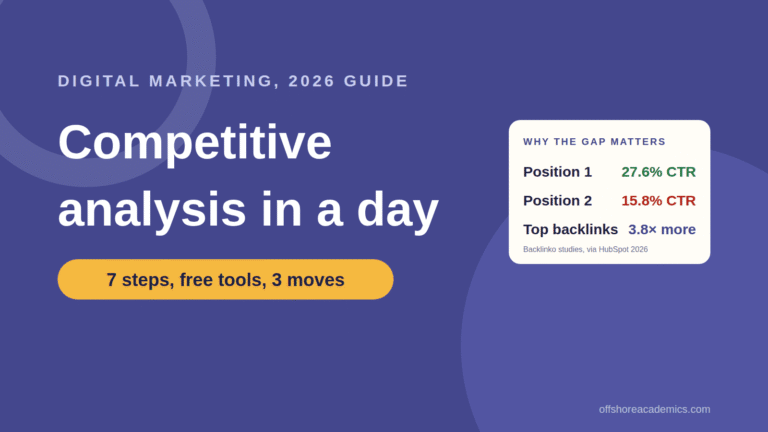
How to do a competitive analysis in digital marketing in one day: seven steps, free and paid tools with 2026 prices, a...
Read the article
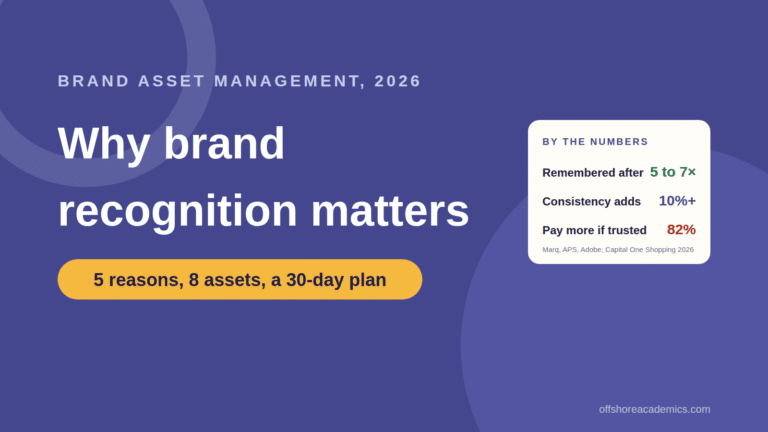
Why brand recognition is important, with the numbers: five reasons it pays, what brand asset management is, the eight-asset kit, how it...
Read the article